
TABLE OF CONTENTS
The Bulk Price Editor is a store specific tool within EZ Dine Studio used to quickly mass adjust pricing for menu items, modifiers, or both simultaneously. This feature is highly effective for offsetting rising food and beverage cost, or globally increasing prices to accommodate dual pricing and cash discounting surcharge programs
Step 1: Bulk Price Adjustments
Bulk price changes are store specific and apply automatically across all menus tied to the location
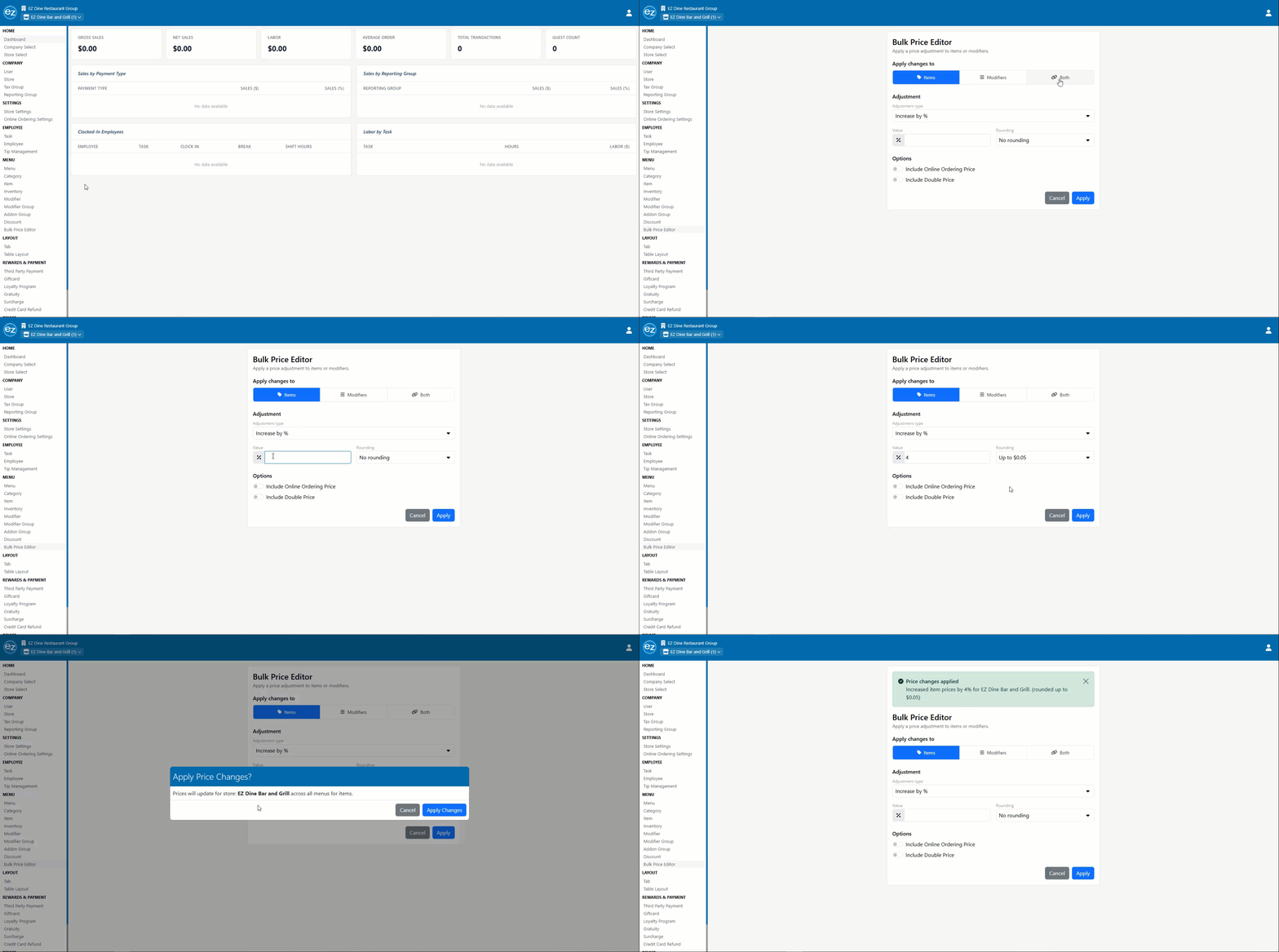
- Navigate to the left-side Studio menu. Under the MENU section, select Bulk Price Editor
- Select the target category for the adjustment: Items, Modifiers, or Both
- Choose the adjustment type from the four preset dropdown options
- Increase by percentage
- Decrease by percentage
- Increase by flat dollar amount
- Decrease by flat dollar amount
- Enter the specific percentage or dollar value for the adjustment. Utilize the rounding options to round up or down to the nearest $.05 to maintain clean, even price points after the adjustment
- Use the provided toggles to apply the price changes to Online Ordering Prices and/or any items utilizing the Double Price feature, if applicable
- Click Apply. A confirmation window will appear asking you to verify the global price changes
- Click Apply Changes to execute the adjustment
- Once processed, a success message displays at the bottom of the screen, and detailed summary of the applied price adjustments list in the top header of the page
Additional Resources and Help!
Still have questions? Please contact us any time at support@ezsoftpos.com.
NOTE: If emailing, please include your business name in the subject line of the email
and provide your preferred contact information for the best response time.
Visit our help center Help Center for more guides and tutorials