
TABLE OF CONTENTS
Tax Groups are a collection of taxes set up with a static percentage required for all menu items. Tax rates should follow any local food, alcohol, and sales tax guidelines. The tax group names will be shared across stores. You will have the option to customize the tax rate percentage based on the store location
Tax Group
- Click on Tax Group within the COMPANY section
- Click on the blue Create Tax Group + button on the upper right side
- Please enter the following information:
- Name of the tax
- The tax amount
- You can also set the tax rate to 0% if you need a no-tax option.
- Click Save.
- Once the tax group has been created building any new menu items will require a tax group selection before saving
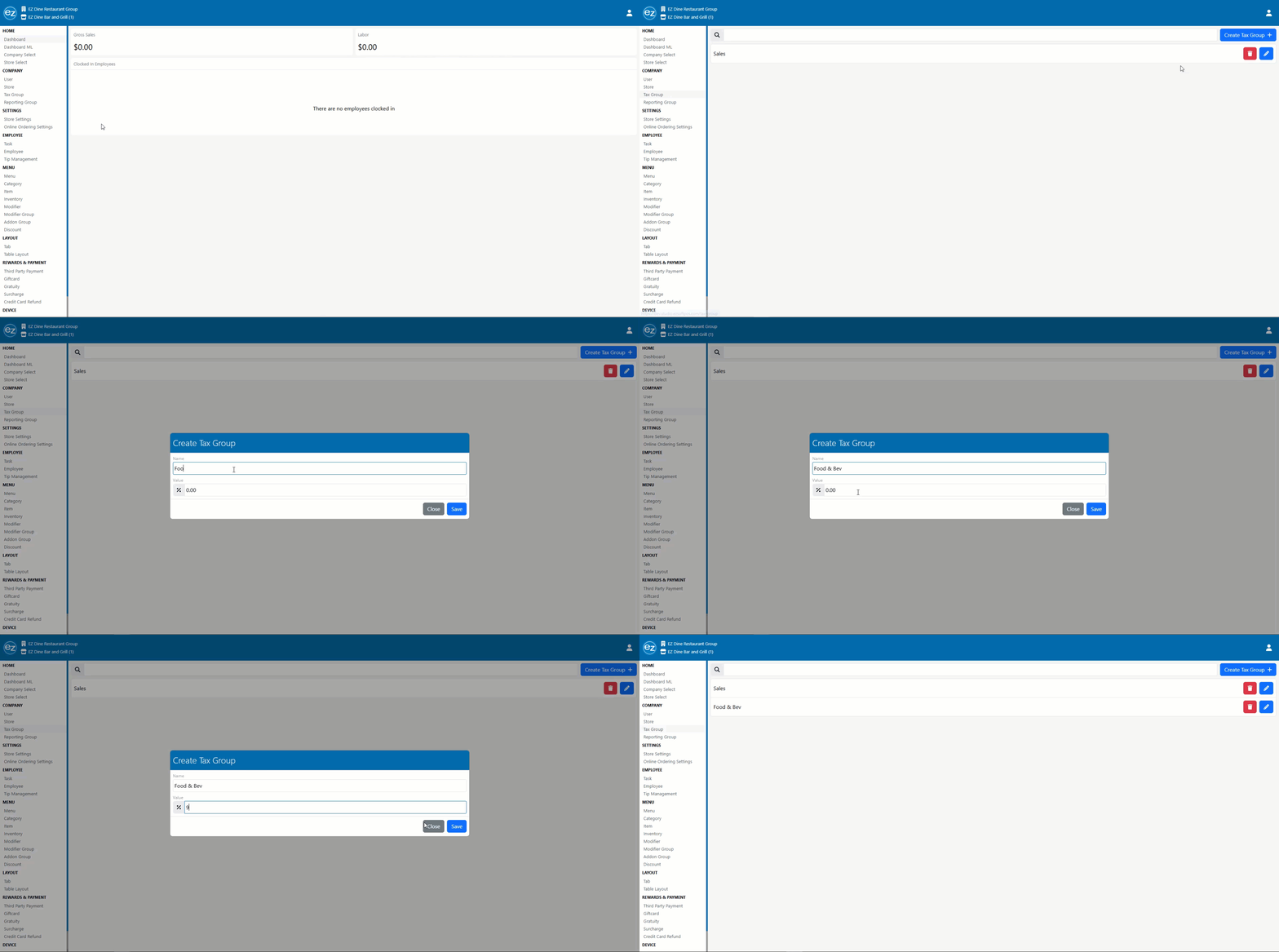
Create Tax Group
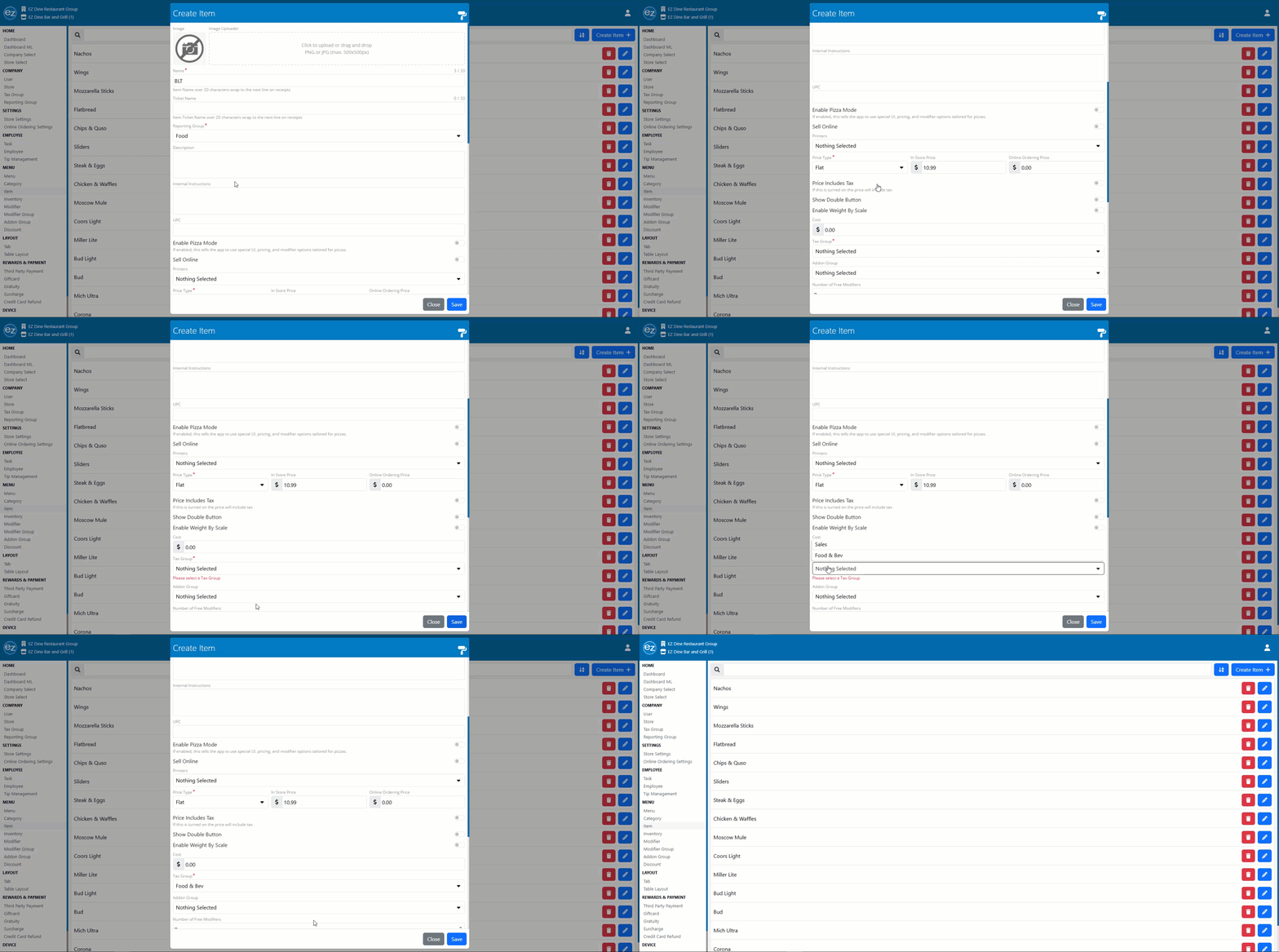
Item Tax Group Requirement
Editing Tax Groups
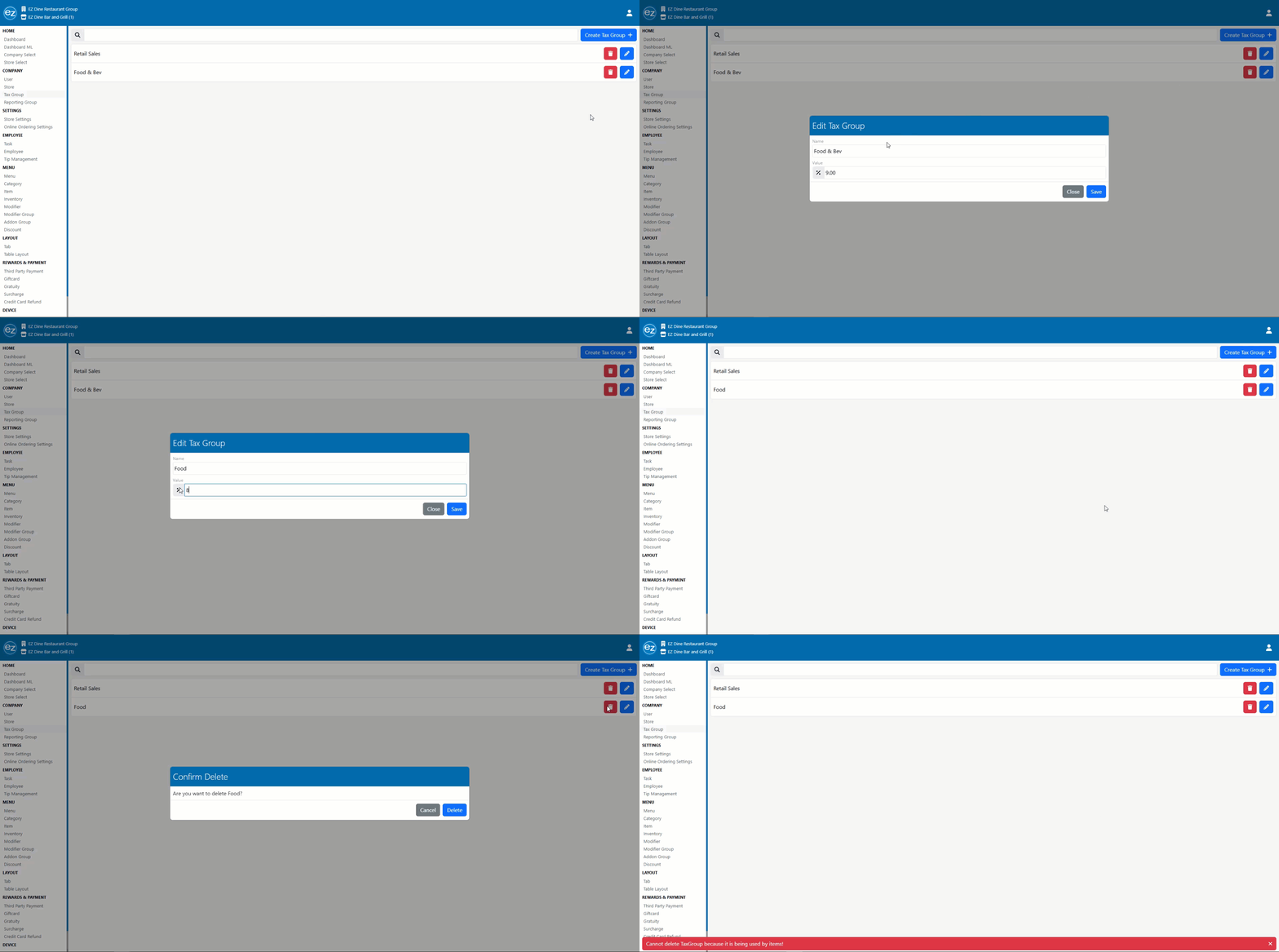
- Click on Tax Group within the COMPANY section
- Select the blue edit pencil icon. The edit tax group window will be displayed
- You will have the option to edit the name or tax percentage amount related to the group
- Deleting a tax group will be prevented if an item is already attached to the group. A warning message will be shown preventing the deletion indicating that menu items are currently assigned
Additional Resources and Help!
Still have questions? Please contact us any time at support@ezsoftpos.com.
NOTE: If emailing, please include your business name in the subject line of the email
and provide your preferred contact information for the best response time.
Visit our help center Help Center for more guides and tutorials